Today’s parents are often under pressure from their children to allow certain apps to be downloaded to phones or tablets just because “all my friends have it”. By now, parents should be aware that 13 is the minimum age for a young person to have an account on most social media platforms. Unfortunately, many do not check the privacy policies of platforms to determine exactly what the age restrictions are and what information is actually being collected. It’s understandable. Terms of Service and Privacy Policy pages can be incredibly long and tedious to read. But there is more to confuse parents.
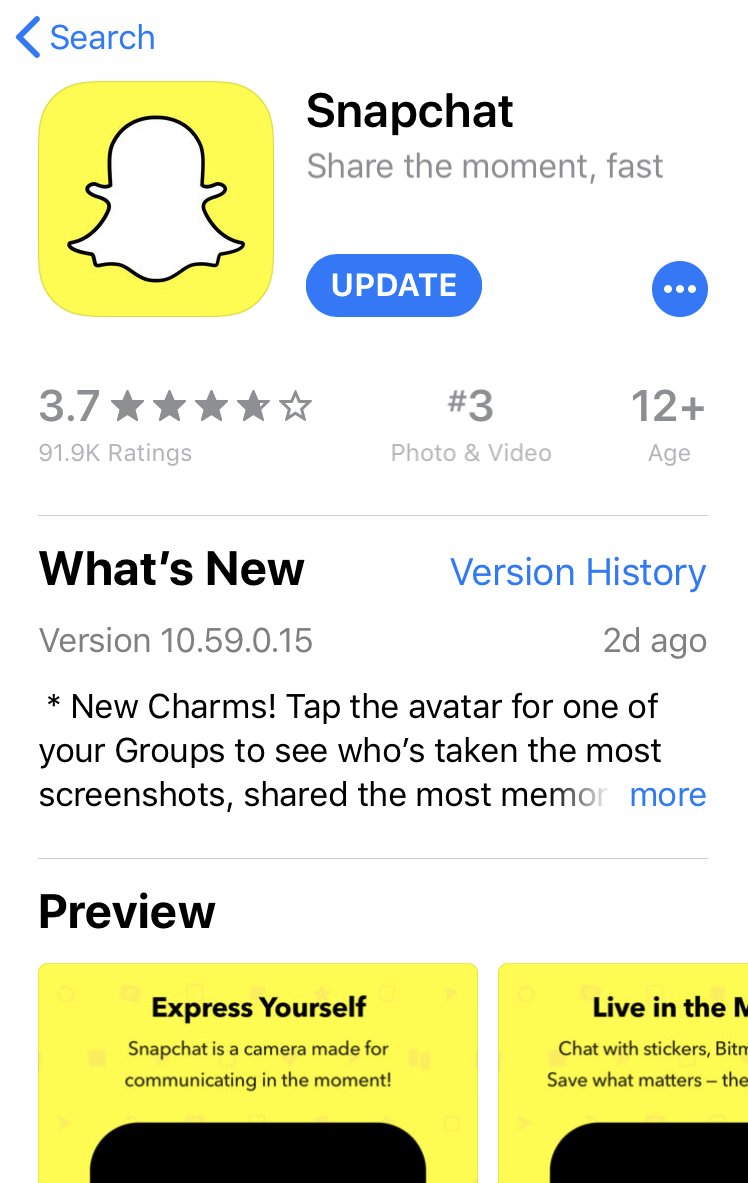
Snapchat in the App Store
When visiting the Apple app store, let’s say to possibly download Snapchat, we are shown the app’s basic information such as updates, version, and age rating. In this case the app has been given a 12+ rating. Who actually gave it a 12+ rating? One thing to know is that Apple has age “categories” and the app will be placed into a category based on the characteristics the developer checks off when submitting the app for acceptance by Apple. In this case, the developer of Snapchat would have had to check off the following in the application:
Infrequent/Mild Mature/Suggestive Themes Infrequent/Mild Profanity or Crude Humor Infrequent/Mild Sexual Content and Nudity Infrequent/Mild Alcohol, Tobacco, or Drug Use or References
Scrolling down further on the page, though, will bring other things into view, including a link to the app’s Privacy Policy. It turns out that the stated age limit for the app is actually a minimum of 13.
From the Snapchat Privacy Policy on the app store as well as on the website, which is under the heading Children far down on the page:
Our services are not intended for – and we don’t direct them to – anyone under 13. And that’s why we do not knowingly collect personal information from anyone under 13. In addition, we may limit how we collect, use, and store some of the information of EU users between 13 and 16. In some cases, this means we will be unable to provide certain functionality to these users.
The same situation exists on the other social media apps as well. Apple’s App Store has only these age categories: 4+, 9+, 12+, 17+. And by the way, an app with a 17+ age rating can have these:
Infrequent/Mild Cartoon or Fantasy Violence Infrequent/Mild Realistic Violence Infrequent/Mild Medical/Treatment Information Frequent/Intense/Mature/Suggestive Themes Infrequent/Mild Alcohol, Tobacco, or Drug Use or References Infrequent/Mild Horror/Fear Themes
Which apps might have a 17+ rating? How about apps like YOLO, Tinder, and…Youtube!
So for parents the important thing to remember is that the age rating shown on the app store is how Apple categorizes the app based on what the content is. It does not mean the app is actually intended for someone that age by the company who makes it.
Recently my fourth grade technology class has been learning to create charts using Google Spreadsheets. They were given a variety of data sets to chart which were all based on their current study of the US States. Different data requires different types of charts, and they have built column and bar charts, pie charts, and line charts. We always share our learning via the student blogs and so in order for them to be able to embed one of their charts into a post, I needed to provide an example and work out the kinks before teaching them the embed process. In Google charts there is an option for an embed code, allowing the chart to be interactive, and also automatically updated in the embedded view if the data is changed.
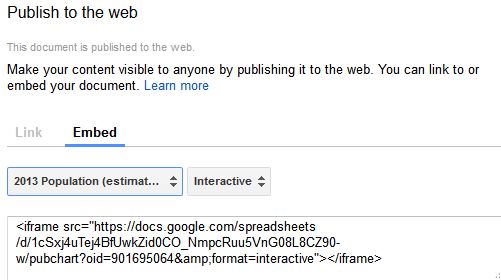
1. In your Google chart select the option to Publish Chart.
(I would suggest using the move and resize option in the chart to center the chart first as best you can before heading to publish.)
2. Copy the embed code:
Since the embed code does not offer size attributes the first insertion could look something like this.
As you can see there is very little of the chart visible and it is hard to get the complete picture having to do so much scrolling. What to do?
3. Head into the Text/HTML view and take a look at the embed code. Example:
Note: Sometimes you will have size attributes in the embed code but in my experience most times they do not appear.
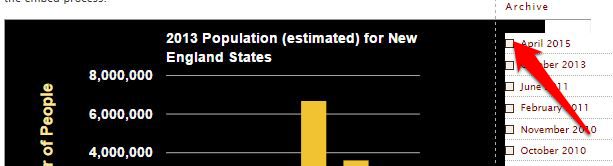
4.. Add size attributes or change existing size attributes and continue to tweak until the size fits your page. Here is an example of the size attributes and the resulting layout on an early attempt.
The width of 650 is too wide for the WordPress theme I am using. The arrow indicates how far into the right side bar the image extends. Since the height of the chart appeared to work, it is just a matter of tweaking the width.
It seems that a width of 530 px is the best for my current page. Here is the final embed code. There is minimal scrolling and the whole chart is visible.
This year the current 7th grade has become aware of the existence of the Millennium Development Goals and their implications for our brothers and sisters around the globe. Students needed to research the goals by taking notes from assigned websites and videos and develop a post demonstrating not only their awareness of the goals, but an example of some progress that has been made toward one of the eight goals. (Featured student posts for this assignment: Kaitlyn, Alex, and Jacob. ) Although the deadline for accomplishing the goals was set for 2015 and there has been some progress, there is, in fact, so much that remains to be done. On September 25 of this year, a special meeting was convened by the UN General Assembly to follow up on the goals. There is an outcome document produced as a result of the meeting. From the document:
We gather with a sense of urgency and determination, with less than 850 days remaining for the achievement of the Millennium Development Goals. We renew our commitment to the Goals and resolve to intensify all efforts for their achievement by 2015.
We welcome what has been achieved so far. The Millennium Development Goals have provided a common vision and contributed to remarkable progress. Significant and substantial advances have been made in meeting several of the targets.
However, we are concerned at the unevenness and gaps in achievement and at the immense challenges that remain. The MDGs are critical for meeting the basic needs of people in developing countries; as we approach the 2015 deadline, unrelenting efforts are required to accelerate progress across all the Goals.
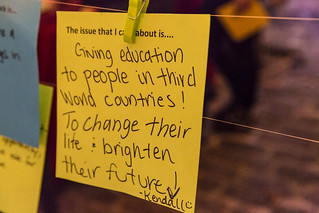
There are organizations making progress toward these goals and the 7th grade students had the assignment of finding one example of such progress and showcasing what has been done, indicating the goal being affected, and linking back to the information source. I feel that I should do what I am asking my students to do, so I would like to showcase an organization that is working to help those in need. It has become dear to my heart because my own daughter has become personally involved in the cause. The organization is buildon.org, and through their efforts schools are being built in communities whose children have not had the opportunity to have an education. One of the MDG’s is to achieve universal primary education, and this organization works to do just that. My daughter will be traveling to Nicaragua with a group and they will live with host families in one of these communities while they all pitch in to build the community school. In her post she says:
Education is a powerful thing. We all deserve the opportunity to hold this power in our hands and use it as a catalyst to change our futures. Today there are 1.2 billion people around the globe who are illiterate largely due to a lack of access to education. 72% of those illiterate are women. buildOn is an amazing organization that goes where there is a want and a need before they plan the school construction. They then work WITH the community to build the school and ensure an equal amount of boys and girls will attend. Providing access to education for even one remote village can change the lives of hundreds of children living in poverty year-after-year. In Nicaragua these schools double as hurricane shelters during Central America’s rainy season. buildOn has immensely successful After-School Youth Development Programs here in the U.S., and through their Global School Construction Program, have already built more than 500 schools.
We can all help in some way by supporting organizations that are making a concerted effort to better the lives of others and help eradicate poverty. Follow the UN Twitter feed on the goals @WeCanEndPoverty. “We are the first generation that can end poverty.”
John F. Kennedy ~ To those whom much is given, much is expected.
Luke 12:48 ~ Much will be required of the person entrusted with much, and still more will be demanded of the person entrusted with more.
It was tough to have to only choose three sessions from all the great ones offered at the DEN 6th Birthday Bash in Philadelphia on June 25. One of the ones I decided to attend was Symbaloo, since I had created an account a while back as part of a DEN special promotion but had never found the time to really experiment with the tool. Daniela Bolzmann and Kimmie Fortelny from team Symbaloo were in from California for ISTE and also to run this session to give an overview of the tool and discuss ways educators are using SymbalooEDU in the classroom.
First there was Symbaloo; then there was SymbalooEDU. The EDU version is barely a year old and came about when the team realized that educators were using Symbaloo in their classrooms and finding it to be a valuable tool. According to Daniela’s post of June 24 on the SymbalooEDU blog, it was a video created by one of Randy Hollinger’s seventh grade students called My PLE explaining all the digital tools used in her personal learning environment that got the team to seek feedback from Randy and other educators and start the ball rolling on the EDU version.
Randy and his wife Amy are presenting at ISTE on Wednesday, June 29, on the topic of PLEs and project based learning.
My wheels are turning for the coming school year just with the idea of setting up a webmix for each grade I teach (third through eighth) with that webmix set as their homepage with all the links we use regularly. Such a timesaver!
Also at our session attendees were urged to become “Symbaloo Certified” and were told that the certification process is beig revamped. There was a long line of educators adding their names to the sign up list! Why might you want to get certified?
Badge to put on website/blog/wiki/etc.
Heads up before public as to new features
Swag to pass out during trainings
Listed on our website as an ‘Ambassador’ available to train – Coming Soon
Possible Spotlight Educator on our Blog
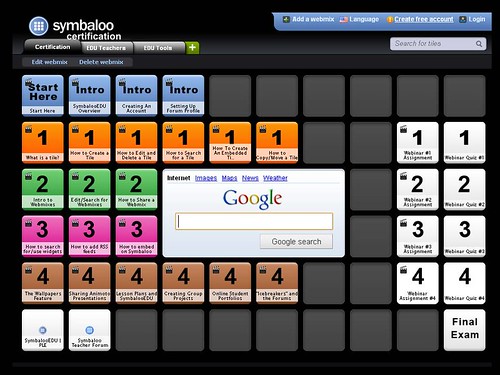
Even if you are not interested in goring for certification, the certification webmix is a perfect set of tutorials for all the things you need to know about using SymbalooEDU, broken into small chunks. Take a look at the certification webmix.
Over the last few months other DEN bloggers have posted their thoughts on SymbalooEDU, such as:
I still like how I can build a webmix for each content area. The ability to post/link/save multi-media on a webmix is very nice and useful. I like how my students can access this from home, the library, the lab, etc. I know that I have just scratched the surface of what I can do with Symbaloo when it comes to my students. (Eric Strommer April 3)
I like the customizable center widget also, as ESL and bi-lingual students can make connections with the translator too This is a little more user friendly for younger students as you can customize the widget face. There are endless possibilities to what we can do to differentiate using this tool. (Joli Brock)
The students love being able to go to ONE site to get all of the URL’s that they need to complete their computer assignments instead of having to bring a notebook with them to class. (Sarah Thompson May 9)
Though a basic personal account is free, the teacher pricing plan allows for a teacher account and 50 student accounts. I would have liked to try out that aspect of the site and create student accounts, but my teacher account appears to be broken. Although I received 3 emails from SymbalooEDU regarding my account and how to begin the certification process, when I use that same email to try to log in, it tells me there is no such email. (I was assured it would be looked into). So for now, without any hands on experience myself, I am relying on the information that others have already shared on this tool.
One thing that would be awesome that appears can’t be done yet, is to actually embed the webmix itself into an existing page such as a blog or a wiki. Other pages and documents, and even RSS feeds can be embedded into the tiles of a webmix, and you can even embed a webmix into a tile on a webmix, but right now the only way you can share any webmixes you create seems to be by URL. I can see that in a space such as we have in the DEN blog, the webmix would have to be reduced in size to fit, though, and maybe the visual effectiveness would be lost at a reduced size. The screenshot above is a perfect example of how the webmix could be less than useful at a reduced size.
I am hoping to take advantage of the Symbaloo addon for Firefox and Chrome that will allow you to click a button to immediately add a site to your existing webmix. (So please, Team Symbaloo, fix my broken account!)
Recently I attended a Classroom2.0 Live session where Barbara Bray was the featured guest. Barbara, a learning strategist from California, spoke on the topic of “Joy in Learning” (session recording here)and the importance of play in the learning process. In her post Full Steam Ahead: The Power of Play, she says:
Schools in the US are designed around the industrial model where the teacher is the all-knowing expert delivering instruction to meet the standards and tests. With this model, students are learning the same thing at the same time. If schools are going to produce a new type of worker who can deliver what people need on-demand where they personalize each situation for each user, they will need a different kind of education system than we are delivering now. Students will be active learners designing their own learning environments based on their needs and finding the most creative learning environments that build on their strengths.
Play and bringing back joy to learning is what schools have to do to prepare our future citizens. When you are involved in playing a game with your friends, how do you feel? Watch children play and interact with other children. They are fully engaged and probably remember those activities for a long time. Ask a child if they remember the worksheet they filled out last week. Was that fun? Do they remember the answers? Schools need to provide engaging activities that turn students into critical thinkers, researchers, and designers.
A few posts later she also mentions Sir Ken Robinson’s “Changing Education Paradigms” (love those RSAnimate videos!) which addresses the same concerns.
A sad contrast was shared by David Warlick in his October 27 post Confidence Lost. He wrote of conversations with faculty and administration of a local university who were wondering how they could effect change and move schools forward. From their conversations he said he felt that we in education have lost our confidence and our sense of educational entrepreneurship, that sense of freedom and encouragement to “innovate” in order to motivate our students. Especially telling was a comment shared by one of the professors who said that his daughter, coming home from her first day in sixth grade, said that the principal had told the students that they will not be having fun. They will be learning.
Fun and learning can not be opposites. We need to find ways to engage our students the same way that their out of school activities engage them. Perhaps we can take some lessons from gaming strategies.
Tom Chatfield, in his TED talk of July 2010, says we can learn things about “learning” by studying video game strategies. The seven lessons he sees in video games are:
1. Experience bars that measure progress – Players associate themselves with this progress; they take ownership of it.
2. Multiple long and short term aims – Goals are varied.
3. Rewards just for trying – Failure is not punished.
4. Feedback – rapid, frequent, and clear
5. An element of uncertainty – This “lights up” the brain and the concept is a “neurological gold mine”.
6. Production of dopamine in the brain – Studies of dopamine levels predict how memory and confidence figure into learning.
7. Other people! Collaboration with other gamers, working as a team is a big turn on.
Wanting something + liking the activity = ENGAGEMENT.
Game designer David Perry in 2006 said the average age of gamers was about 30, and 43% of them were women. There are millions of adults involved in World of Warcraft, for example, and they are paying thousands of dollars for virtual property in online games and virtual worlds. He also asserted that 83% of games have no violence or mature content. Another fun and thought-provoking presentation on the power of games was that of Jane McGonigal “Games Can Make a Better World“. According to McGonigal, ” In the best-designed games, our human experience is optimized: We have important work to do, we’re surrounded by potential collaborators, and we learn quickly and in a low-risk environment. ” Sounds like a great description for school.
Perhaps educators would do well to investigate what games their students are playing and why they find them so engaging. I asked some seventh grade students recently about their gaming interests, and the serious “gamers” were about falling out of their chairs to tell me about them, they were so excited to share. On the other hand, one boy said he was not allowed to do any gaming (Also not allowed to blog in school, but that is another story!). I asked a fifth grader when he wanted to title his blog “Spore Guy” if he meant “Sport Guy”. He actually meant Spore, a virtual gaming environment about evolution created by Will Wright, and that he really was good at that game. Needless to say, I had to check out Wright’s explanation of Spore.
Can we find ways to take the ideas of not punishing failure but instead rewarding effort, of scaffolding so that challenges we present are not too difficult but also not too easy for the individual learner, and get students excited about engaging in collaborative activities not only with classmates but with other students around the globe? Maybe by getting involved in some gaming ourselves and trying it out, we can sense the power of these activities and see how we can up the engagement level of our students.
There are many great ideas being shared in the Global Education Conference going on this week (Nov. 15- 19) for ways to have our students collaborate and engage in real world problem solving. ISTE’s Don Knezek had a great presentation (archive here) on Nov. 15 regarding using digital learning environments to engage students in authentic projects and solving problems that really matter. One of his “Many Faces of Innovation” – a list of ideas that we can be incorporating into 21st century education – is “students learning through simulations and serious games”.
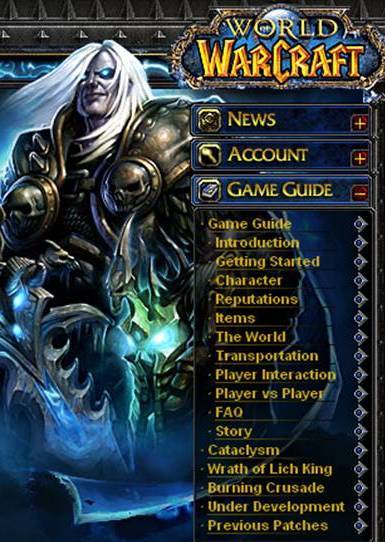
Whether it be collaboration and creation in virtual worlds such as Reaction Grid or Quest Atlantis, or something as simple as creating a glog in the classroom, students need to buy into the goal and enjoy doing the activities that help them reach it. I missed the session by Peggy Sheehy and Lucas Gillispie on World of Warcraft in Education yesterday during the Global Education Conference (archive here) but I am hoping to catch the presentation “live” on ISTE Island in Second Life tonight (Nov. 16) at 5 SLT (8 pm Eastern). I confess to having lost track of time myself when creating things in that virtual world.
Do you play any online games? Participate in virtual worlds? Feel a sense of immersion and a rush when accomplishing a goal or mastering a level in a game? Maybe you get that same sense of accomplishment and exhilaration after a great round of golf or a completing a do-it-yourself project.
My post title is from a quote attributed to George Bernard Shaw: We do not stop playing because we grow old; we grow old because we stop playing. Let the games begin!
DEN Virtual Conference attendees were wowed in session two by Porter Palmer’s Out of This World Ideas for Showcasing Student Work. She directed us to research from Chris Weber’s Publishing with Students: A Comprehensive Guide, especially his information on web-based publishing for students. She pointed out that research shows grading writing discourages students from taking risks, while publishing encourages them to take risks. Porter collected all of her links for the presentation in Live Binders, a great way to keep presentation resources organized neatly. (While looking at LiveBinders I happened across another binder of Technology Integration Resources for library and media specialists by mnpsil. Definitely going back to that one later!)
First on Porter’s list was Posterous. This tool lets you post video, audio, and image files, as well as text. You can also include documents and even embed Google Maps. You can set up the page yourself or email your files to them and it is turned into a page for you. There is also a handy bookmarklet. Note: Since Posterous accounts are for ages 13 and older, elementary teachers would need to post students’ work for them.
She also demonstrated how teachers can use wikis such as wikispaces or PBworks for classroom pages and to embed student videos or store documents. Speaking of wikis, Porter also showed how students can actually become serious content creators by contributing to Wikipedia after they research a topic. Another site to which students can contribute is World 66-The Travel Guide, a great resource for information about various travel destinations. Each entry is editable by anyone else. Note: It is not clear what editorial checks occur on these pages, however, and their Terms of Service do not mention age, just provide a link to content filtering tools that parents can use to block harmful content.
Next on the menu was SlideShare, a way for PowerPoint presentations to be shared online. Use the embed code to place into wikis, blog, glogs, anywhere you can embed. You can even turn your slides into a slidecast with audio added to the slides. Note: Terms of Service indicate the site is not to be used by anyone under the age of 13. SchoolTube was also mentioned as a site for sharing student and teacher created videos.
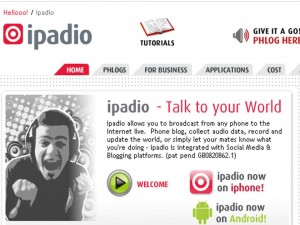
Other sites on Porter’s list included the ever-popular Glogster EDU, which she termed the “new book report site” indicating just one of its many uses in the classroom as a digital poster. For easy voice recording over the phone, she pointed us to ipadio. An example of its use might be students creating a voice recording for a foreign language class. Note: In order for a student to call in and create a “phlog”, they need to register by providing their first and last names, email addresses, and the phone numbers they will use to call in, so this is definitely not for elementary school students. Perhaps a work around could be the teacher being the account holder and using the school number for calling in, allowing younger students to record voices in that manner. These phlogs are embeddable in blogs, wikis, etc.
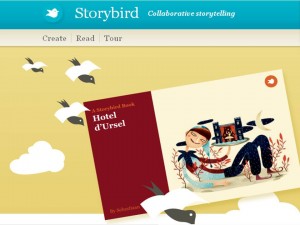
With Storybird, students can choose beautiful illustrations from a variety of artists and compose an original story. Teachers can create classes of students and there is an option to collaborate with schools around the world. Storybirds can be set to public or private and an embed code is provided.
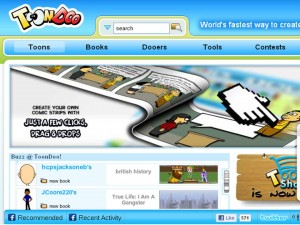
ToonDoo is a site where users can create comic strips with existing graphics. Note: Terms of Service say “ToonDoo will only provide the Service to “persons and entities who can form legally binding and enforceable contracts under applicable law.” Since there may be objectionable material created by some users of the site, caution is advised. Someone in the chat offered the suggestion of Toondoospaces, which is private and for educational use, but only provides a 15-day free trial before you need to select a payment plan. Xtranormal, a way to turn a typed script into an animated video clip, has two versions. The online version clearly states it is not for under 13 years of age, and in fact anyone who is a “minor” needs parents to register for them. The only option for schools seems to be the downloadable version known as “State”, which is still in Beta and does not yet seem to have a lot of options, but may be worth experimenting with.
All of Porter’s links used in her presentation can be found in her LiveBinder. Be sure to visit the archived webinar when it becomes available on the DEN site. Thanks, Porter, for a jam-packed presentation of ways to showcase our students’ learning!
The NETS listed on the ISTE site are something that I have referred to often in my coursework and also in my teaching and my support of teachers integrating technology into the curriculum. There are so many Web2.0 tools to choose from but the value of the tool is best judged by its ability to help teachers and students better meet these national standards.
One of my favorite Web2.0 tools is student blogging, and in my case the platform is classblogmeister.com, developed by David Warlick as part of his Landmarks Project. Giving students the opportunity to blog certainly provides the opportunity for students to “communicate and collaborate” (standard 2). Blogging allows students to see that they are part of the global community and publish their writing for a global audience. Participating in the Student Blogging Challenge is a way to open to the door to interaction with students around the world and develop cultural understanding and global awareness. The student’s individual blog page can also be a place to showcase his or her creative projects. Through this challenge my students have had the opportunity to participate in Blog Action Day held on October 15. The 2010 theme is “water” and the 2009 theme was climate change. Becoming aware of global issues affords students the opportunity to read about current problems and think about possible solutions and share those solutions with others. (standard 4).
For creativity and innovation (standard 1) my thoughts jump to a number of Web2.0 tools that allow students to showcase their knowledge in creative ways, such as Glogster EDU. It has been my experience that students love the platform and will spend a great deal of time designing their glogs. They can follow a logical thought process and explain their concept or newly acquired knowledge with others by sharing it via this creative digital tool. Students can also use digital tools for collaboration and “use models and simulations to explore complex systems and issues” (standard 1c) in many of the projects showcased by Discovery Education such as Siemens We Can Change the World Challenge. This again fits well with standard 4 as a platform for critical thinking and problem solving.
The theme of Digital Citizenship (standard 5) needs to be present in all our work with digital tools. I have often relied on video sharing sites such as YouTube to open up discussion on Internet Safety, and I am also hoping to be involved in the Digiteen Project which will focus on Digital Citizenship. Students involved in this global collaborative project will rely on such tools as wikis and Skype and Google Docs to accomplish the project goals. I do have one eighth grade student who will not be thirteen years old until January 22, but I am hoping that will not be an issue in the first weeks of the project.
Although there are many other wonderful tools that could fill a book (and many writers have done just that) the tools that I have mentioned above have become rather standard fare in today’s classrooms. These basics can be enhanced with tools that showcase student work and allow diverse groups to come together to collaborate and appreciate each other’s similarities and differences. These tools have helped and continue to help both teachers and students navigate the 21st century global seas. We just need to keep paddling.
Images
canoe paddle http://www.flickr.com/photos/dwallick/2964718526/
Thomas a Becket glog http://s53hakr.edu.glogster.com/thomas-a-becket/
Blog Action Day badge http://blogactionday.change.org/
In reviewing the exemplars of PBL in week one of EDIM 502, I was struck with a sense of déjà vu after reading about and viewing the work of Frances Koontz and her class as they participated in the Journey North activities. Quite a few years ago (dare I say at least 15 to 20?) I was involved in the Jason Project with my fellow fifth through eighth grade teachers at my previous school. That was the closest we ever got to project based learning, though we did not use that term at the time. It was an amazing journey of learning, exploration, and discovery initiated by Dr. Robert Ballard and a team of scientists. Some lucky students across the country applied to be part of the Jason expedition as “argonauts” and got to experience it first hand, though none of our students ever participated in that way. It was interdisciplinary, required us to team teach, took extensive planning on our part as teachers where we had to decide which areas of the curriculum we would be responsible for, which of the learning activities we would be able to incorporate, and how we would bring this experience to life for the students. The culminating activity was a trip to Lehigh University which was one of the hosting sites that communicated live with the expedition and we never knew when we booked our day exactly what the scientists would be doing and what we would experience. We were in awe of the “technology” used at Lehigh for the live interaction with the expedition, especially since technology was almost non-existent in our classrooms at the time.
Was that true project based learning according to the definition used today? How did it compare to the three exemplars from week one of the PBL course?
I will confess up front that although I am probably the most daring member of my faculty and the most willing to jump in and try something new, I am still somewhat “jaded” by the fact that so many of the great ideas out there in education sound wonderful in theory but sometimes leave one extremely frustrated in the harsh light of reality. Having been around for so many swings of the pendulum, one of the first things I tend to do when I see video clips of awesome projects being done in a particular classroom is to count the number of students in the room and note the amount of open space they have available. When you work with classes that average around 35 students and have very little open space this is a reality that cannot be ignored. After seeing in these three exemplar videos that the students shown numbered 20 or fewer, I immediately sense that there would have to be great adaptations made in my school for undertaking similar projects. I struggle very often to see the glass half full rather than half empty!
In each of these projects there was a driving question of sorts, though not the Big Question with global implications as presented in the Apple CBL model, at least not directly stated, although the Monarch project and the related activities on the site are global projects. Perhaps the articles just didn’t particularly name that or for the younger students that is not part of the vocabulary. It seemed that each of the three derived the driving question from a different source. For Mrs. Huemer’s class in Newsome Park it seemed the students’ interests and curiosity drove the project focus. In Miss Reeder’s geometry class in Seattle it seemed that she set the focus and the goals she wanted her students to achieve and designed the architecture project around that, and in Frances Koontz’s class the questions were derived from the Journey North curriculum projects.
All three projects had the students working in groups and engaged in hands on activities. The geometry students obviously were more self-directed as far as group dynamics because of their age, but the collaborative experience is vital for all age groups and is a very important skill to develop. Assessment needs to be considered in the planning of projects and assessment was really only mentioned in the geometry project. I imagine there had to be periodic assessments by the teacher along the way and not just at the end of the six weeks. I am concerned about 40% of the final project grade coming from the assessment of the architects, but again, there is probably much more to this than was presented. Having coached students through PJAS (Pennsylvania Jr. Academy of Science) projects and having experts in various sciences be their judges, that can certainly be a flawed process if not screened carefully, but obviously she had developed a relationship with the architects and shared her project goals with them.
Project based learning still needs to incorporate curriculum standards and Frances Koontz did mention how she was able to work in her language arts standards in the project, and also the idea of multiculturalism. Miss Reeder’s class apparently scored very high in testing so she obviously did a great deal of preparation and planning to develop a project that incorporated the necessary benchmarks in geometry throughout the course of the project. She was concerned with skill transfer but in the projects with the younger students that point was not raised.
Although I guessed as much coming in to this course, PBL entails a great deal of planning behind the scenes on the part of the teacher in order to be able to develop activities that will engage students and provide authentic learning with global implications, and still meet state standards. Planning time is definitely at a premium for most teachers and as Mrs. Vreeland noted in the “barrel of worms” article, it does take a great deal of effort. All three exemplars brought in outside experts in the field to speak to the students and interact with them, helping them to see real life application for their learning.
Although the concept of PBL appeals to me and I see the educational value, it also seems overwhelming and I understand how someone might look at it and say “How would I ever have time to do that?” I can see that without administrative support it may be difficult to undertake. Without a teacher who is willing to work off the clock, waaaaaay off the clock, it won’t happen. But if we want our students to be engaged and to develop a desire to be life-long learners, we have to take baby steps and be willing to give it a go.
I especially liked how Mrs. Vreeland said that “the students know that Mrs. V. doesn’t have all the answers, and they also know that it doesn’t bother her in the least.” We are all students, some of us are just much, much older than others. This student is looking forward to learning more about PBL.
 Scrolling down further on the page, though, will bring other things into view, including a link to the app’s Privacy Policy. It turns out that the stated age limit for the app is actually a minimum of 13.


 I am hoping to take advantage of the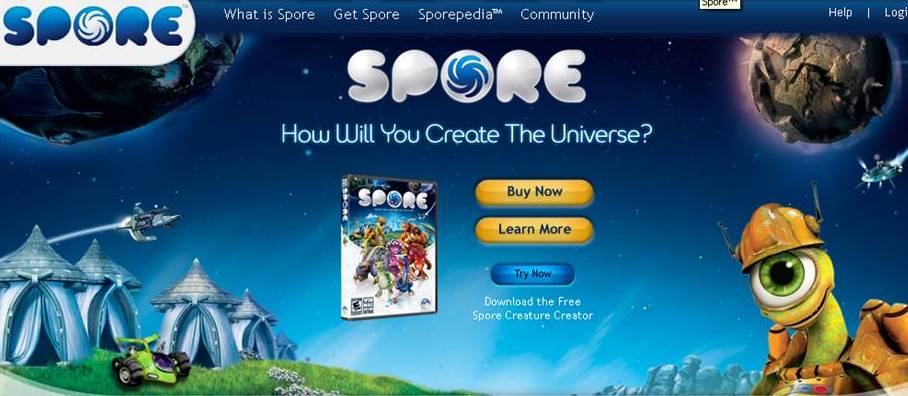
 Whether it be collaboration and creation in virtual worlds such as
  research shows grading writing discourages students from taking risks, while publishing encourages them to take risks. Porter collected all of her links for the presentation in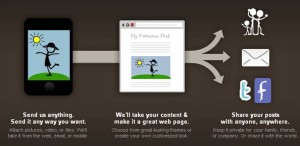
 She also demonstrated how teachers can use wikis such as
 interaction with students around the world and develop cultural understanding and global awareness. The student’s individual blog page can also be a place to showcase his or her creative projects. Through this challenge my students have had the opportunity to participate in
 Although there are many other wonderful tools that could fill a book (and many writers have done just that) the tools that I have mentioned above have become rather standard fare in today’s classrooms. These basics can be enhanced with tools that showcase student work and allow diverse groups to come together to collaborate and appreciate each other’s similarities and differences. These tools have helped and continue to help both teachers and students navigate the 21st century global seas. We just need to keep paddling.